USB Microscope for Coins: A UK Collector's Guide
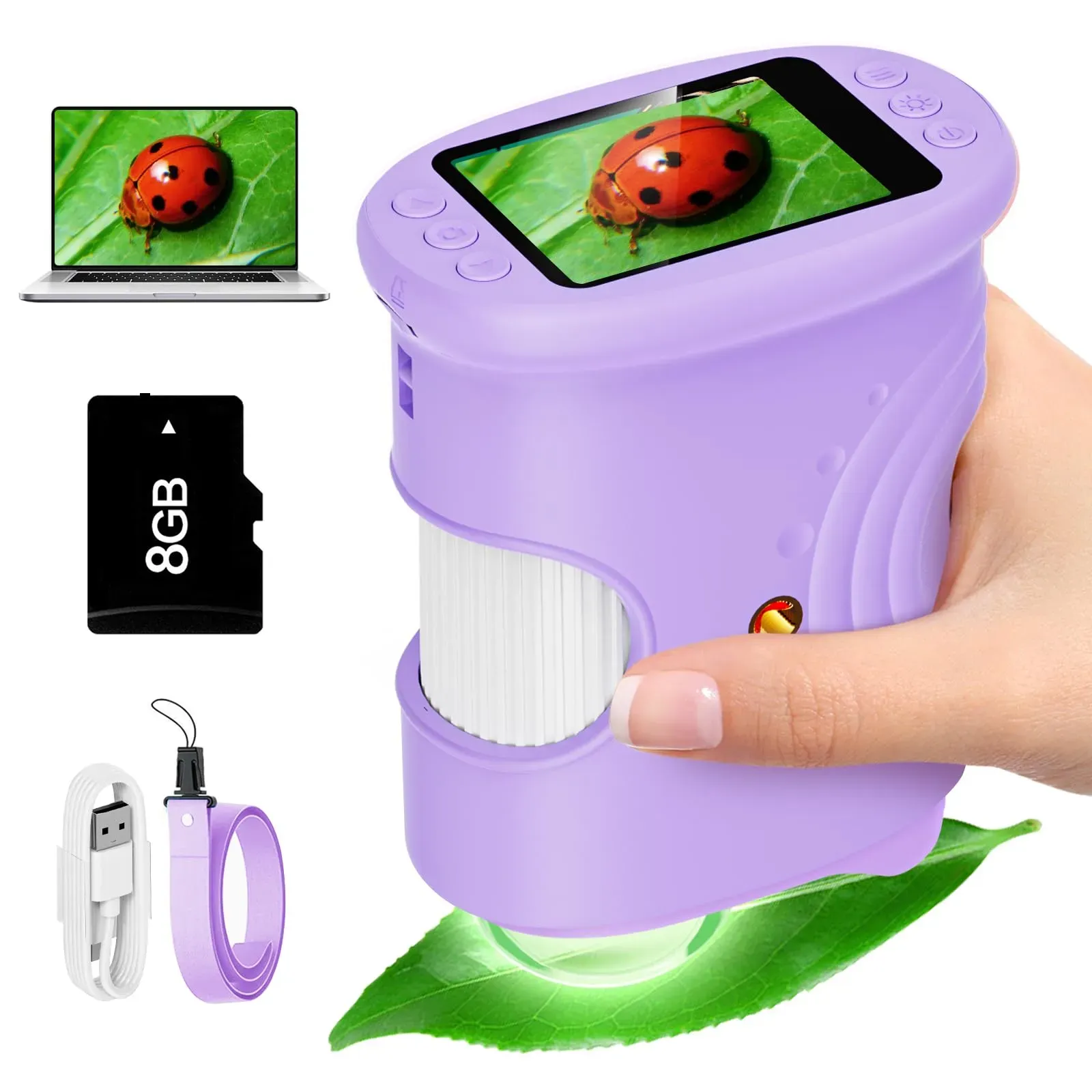
Short answer: the right USB microscope for coins is the one that shows a mint mark without you squinting, holds focus while your hands are busy, and saves an image you can send to another collector. Magnification claims matter far less than lighting angle, a steady rest and simple photo transfer to your computer. Everything else in this guide follows from those three things.
Why coin collectors outgrow the loupe
A jeweller's loupe is fine for a quick date check, but sorting a tin of inherited pennies with one is hard work. Holding the loupe, the coin and a lamp in alignment means something is always in shadow, and after twenty minutes of squinting your eyes are done for the evening. Worse, a loupe leaves no record: you cannot show anyone else the die crack you are sure you saw.
A digital microscope solves both problems. The coin sits still, the device does the magnifying onto a screen, and a button press captures the evidence. For UK collectors cataloguing coins, stamps or small jewellery, that photographic record is the real upgrade — not the headline zoom number.
The four things that decide whether it works for coins
1. Lighting you can control
Coins are the hardest common subject to light: lustrous fields reflect LEDs straight back at the sensor, and a date worn nearly flat only shows under light raking across the surface at a shallow angle. Look for adjustable brightness as a minimum, and be prepared to switch off the built-in ring and use a desk lamp from the side. Tilting the coin a few degrees often does more than any zoom setting to bring up a mint mark.
2. A steady rest, not a steady hand
At 100x-plus, the picture drifts with every heartbeat — a common worry for anyone whose hands are not as steady as they were. You do not need an expensive stand: resting the scope on a book stack or a simple bracket over the coin tray removes almost all of the wobble. If a model offers a small desk stand in the box, that is worth more than an extra zoom step.
3. A screen you can actually read
Built-in screens around 2 inches, like the one on the Bebanghan 1000X handheld digital microscope (£32.00 including VAT, free UK delivery), are ideal for triage: scanning a batch quickly and flagging coins worth a closer look. For long comparison sessions, or if small type is a strain, plug the unit into a Windows 10 or 11 computer over USB and work on a full-size monitor instead — the best of both.
4. Simple photo transfer
Check the device saves standard image files and moves them to a computer over a normal USB connection, without an account or companion app. Collectors who file photos by year and grade end up with a searchable condition archive — and if transfer is fiddly, you will stop doing it after the first tray.
How much magnification do coins really need?
| Job | Useful range |
|---|---|
| Reading dates and legends on worn coins | 10x–30x |
| Mint marks, overdates, die cracks | 30x–100x |
| Hairlines from past cleaning, edge knocks | 50x–150x |
| Stamp perforations and watermark checks | 20x–60x |
Advertised figures like 1000x describe digital zoom, not optical power — useful headroom occasionally, but past roughly 150x you are mostly enlarging pixels while the field of view shrinks to a few millimetres. Judge a scope by how clean the image is at 50x, not by the biggest number on the box.
Handling and honesty
- Never polish or abrasively clean a collectable coin — under magnification, cleaning hairlines are exactly what you (and any buyer) will see first. Handle by the edge over a soft mat.
- A microscope is not a grading service. It shows you wear, marks and repairs clearly, but grade and value judgements still belong with a dealer or grading body; use the photos to ask better questions.
- Bacteria-level biology is out of scope. These are reflected-light instruments for surfaces — exactly right for coins, wrong for pond-water cells.
If your next step is building a proper photographic archive — consistent framing, file naming by year and grade, sharing sets with a collectors' group — our microscope camera guide covers the capture-and-filing workflow in depth. For Windows connection steps and what to do when the device is not recognised, see the digital microscope software guide.
A sensible UK buying path
Start with a handheld digital unit with a built-in screen and USB output — around £32.00, not hundreds. Test it on your own collection during the 30-day returns window: a milled Victorian shilling with a tricky lustre, your worst-worn date, a stamp with suspect perforations. If the lighting and stability work for those, it earns a permanent place on the desk; if you later need publication-grade images, you can add a camera setup without replacing anything.
Frequently Asked Questions
What magnification do I need to see mint marks?
Between 30x and 100x covers mint marks, overdates and die cracks on British coins. Reading worn dates needs as little as 10x to 30x — lighting angle matters more than pushing the zoom higher.
My hands are not steady any more — will the image just wobble?
Handheld at high zoom, yes, everything drifts. Rest the scope on a book stack, a simple bracket or a small stand over the coin tray and the wobble disappears. You should not need to hold anything in mid-air.
Will it work with my Windows 11 computer?
Yes — Bebanghan supports Windows 10 and 11 over USB, both for live viewing on a bigger monitor and for copying saved photos across for your condition archive.
Can a microscope tell me what a coin is worth?
No, and be wary of anything that claims to. It shows wear, hairlines and repairs honestly, which helps you describe a coin accurately — valuation still belongs with a dealer, auction house or grading service.
Ready to try Bebanghan?
Shop Now — £32.00